Cutters and stamps
Cookie cutter STL generator
Upload a picture, choose the pieces you want, set the size and download STL files ready for your slicer. Everything comes from one tracing of the image, so a stamp and its cutter match.

What it makes from one image
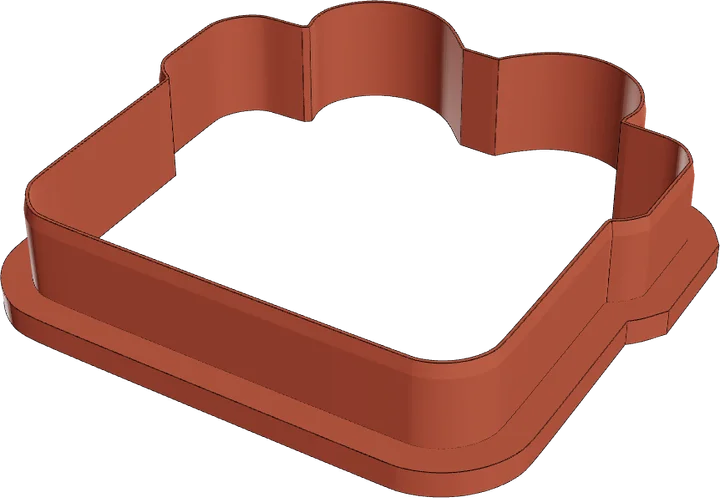
- Cutter
- A hollow blade that cuts the cookie's outline.
- Stamp
- A solid block with the design in relief, to press into the dough.
- Stamp & Cutter
- A cutter and a matching stamp that drops into it, so you cut and press in one go.
- Imprint cutter
- A cutter with the design ridged onto the cutting blade itself.
- Flat design
- A flat plaque of the design, with no cutter or relief.
- Stencil
- A thin sheet with the design cut through, for dusting icing sugar.
You can tick several at once. For coloured pictures, the Multi-tone workspace makes a layered stamp, its cutter, or both.
Size
Set the size of the cookie, from 1 to 500 mm (80 mm to start with), measured on the longest side, the width or the height. The cutter is always that size. For a stamp you choose whether the size covers only the artwork or the whole stamp including its skirt.
Cutter settings
The defaults print well on most home printers. These are the ones people change most:
| Setting | Default | What it does |
|---|---|---|
| Blade depth | 12.5 mm | How tall the cutting wall is. |
| Blade thickness and tip | 0.8 mm, 0.4 mm tip | The wall narrows to a thinner edge for a clean cut. |
| Chamfer height | 2 mm | The bevel running up from the tip. A taller chamfer prints stronger. |
| Handle bar | None | A bar across the cutter (horizontal, vertical or a cross) to stiffen a large one. |
| Tolerance | 2 mm | How loosely the stamp fits inside the cutter in a set. Bigger is looser. |
| Depth from blade | 4 mm | For an imprint cutter, how far above the blade tip the design starts. |
Settings you like can be saved as a profile and used again on the next design.
The files you download
Each piece downloads as its own STL file, in millimetres, so it opens at the right size in any slicer. Download all of them at once and you get a zip with a text file of each piece's size, how to lay it on the bed, and print settings. A single piece can also be downloaded as OBJ if you want to edit it in another 3D program.
How to 3D print cookie cutters and stamps covers filament, slicer settings and cleaning.